Vor dem ersten Service
Tagesangebote und ausverkaufte Gerichte vor dem Öffnen aktualisieren.
Gastronomie in Girona
Für Gastronomie in Girona: Karte hochladen, Gerichte und Gästesprachen prüfen und ein QR-Menü veröffentlichen, das dein Team selbst aktuell hält.
Für den Arbeitsalltag
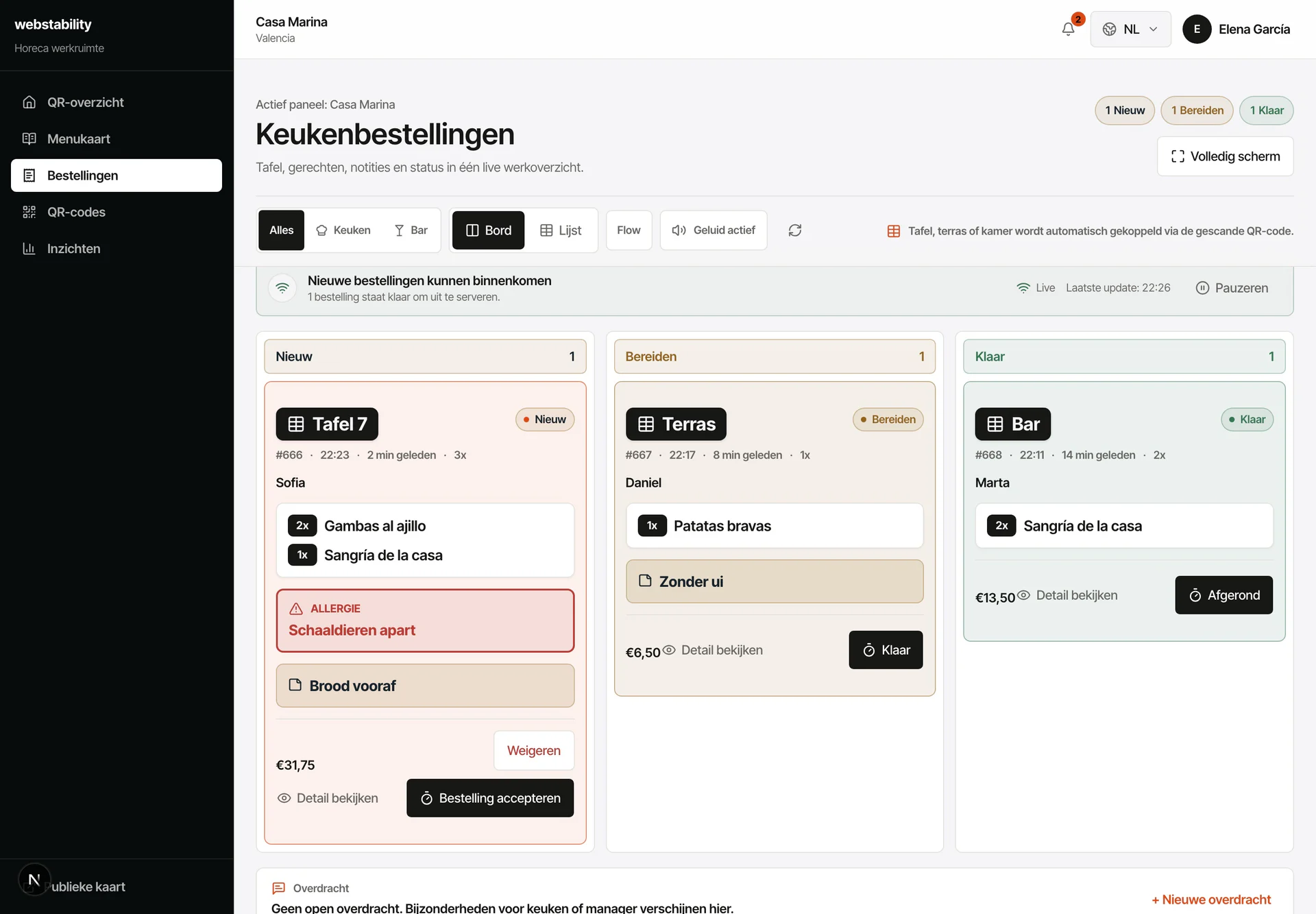
Weniger Wege durch den Service: Gäste lesen die Karte in ihrer Sprache und bestellen am Tisch. Die Küche erhält die Bestellung mit dem richtigen Tisch, ohne handschriftliche Bons oder falsche Gerichte. Du änderst einen Preis oder meldest etwas ausverkauft und es steht in 240 ms auf jedem Tisch.
 Für Gastronomie in Girona
Von der Karte zur Veröffentlichung
Account erstellen und aktuelle Karte hochladen.
Gerichte, Preise, Allergene und Übersetzungen prüfen.
Teste eine Bestellung über einen Tisch-QR und prüfe den Standort im Küchenpanel.
Karte veröffentlichen und Specials oder ausverkaufte Artikel aktualisieren.
Was dein Team selbst steuert
Webstability gibt deinem Team einen festen Ablauf für Upload, Prüfung, Veröffentlichung und tägliche Änderungen – mit einem Gastmenü, das zum Betrieb passt.
Tagesangebote und ausverkaufte Gerichte vor dem Öffnen aktualisieren.
Tischnummer und Allergiehinweis bleiben für die Küche zusammen.
Erkennen, welche Gerichte und Sprachen tatsächlich genutzt wurden.
Werkstatt in Palafrugell
Holz, Acryl, PVC und Metall werden mit dauerhaften QR-Standorten verbunden. Der QR bleibt bei Kartenänderungen aktiv.
Gravur ansehenFAQ
Ja. Nutze eine eigene Kategorie für das Tagesmenü und ändere Gerichte und Sichtbarkeit jeden Morgen. Feste Karte und Tisch-QR bleiben unberührt.
Nein. QR ergänzt die Papierkarte: Gedrucktes bleibt im Betrieb, während Sprachen, Preise, Bestand und Bestellungen digital aktuell bleiben.
Erstelle einen Account, lade PDF, Foto oder Link hoch und prüfe Kategorien, Gerichte, Preise und Übersetzungen vor der Veröffentlichung.
Jeder Tisch, Bereich oder jedes Zimmer kann einen eigenen QR erhalten. Bestellungen kommen mit dem passenden Standort an.
Webstability
Selbst hochladen, prüfen und veröffentlichen. Danach hält dein Team Gerichte, Sprachen und Verfügbarkeit aktuell.
30 Tage kostenlos testen