Property management · your business in your pocket
Move the report forward. Within the right approval.
The resident reports a leak, the owner watches the budget and the supplier wants to know how to get in. You keep those people, appointments and costs with the same building.
Already have a website? Start with Property
Website €49 + panel Property €40 = €89 per month, excl. VAT. 30 days free, including your panel.

How it works
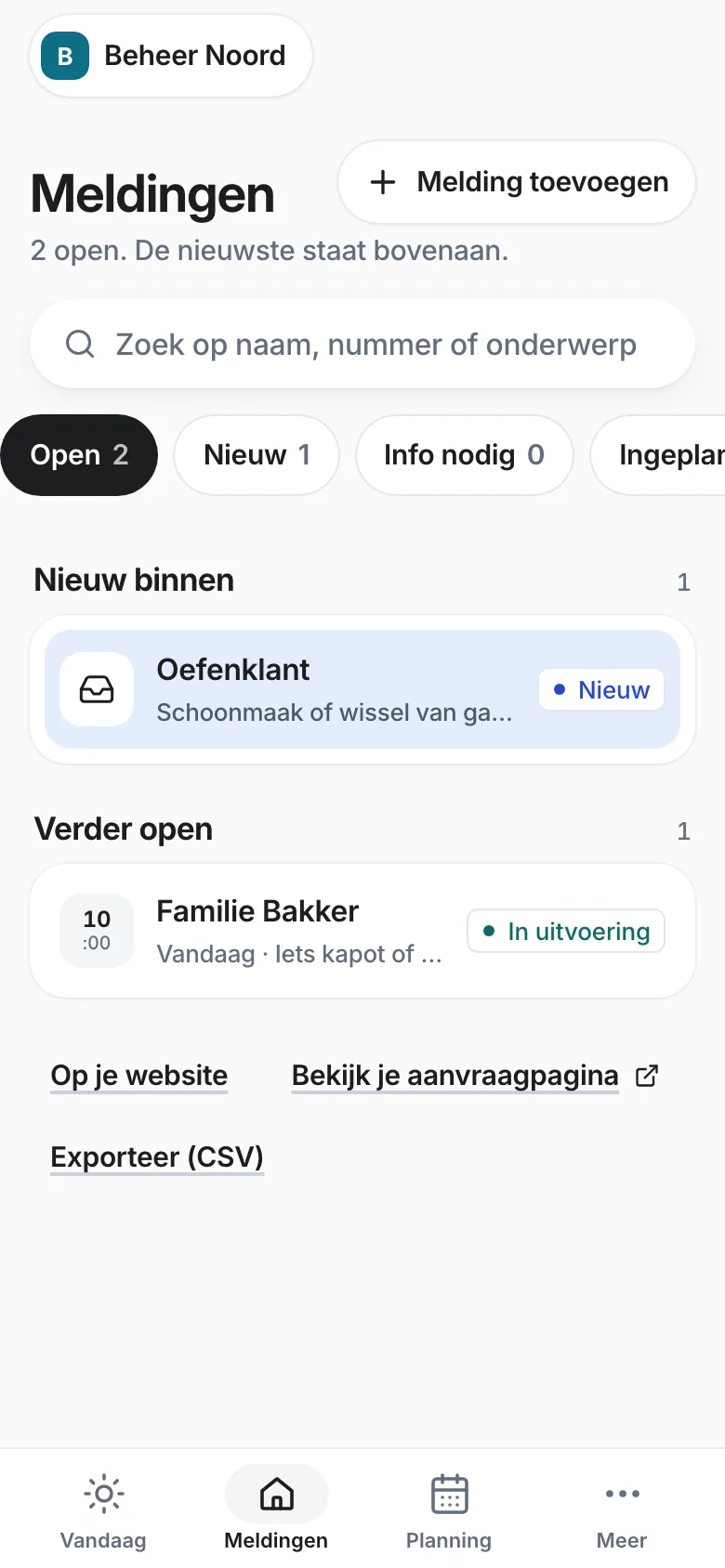
Your buildings and tenants in one place, and every report until it is fixed. All in one app.
Step 1 · Website
Your customer starts on your site. You continue in the app.
- Your customer sends a request
- You reply from the app
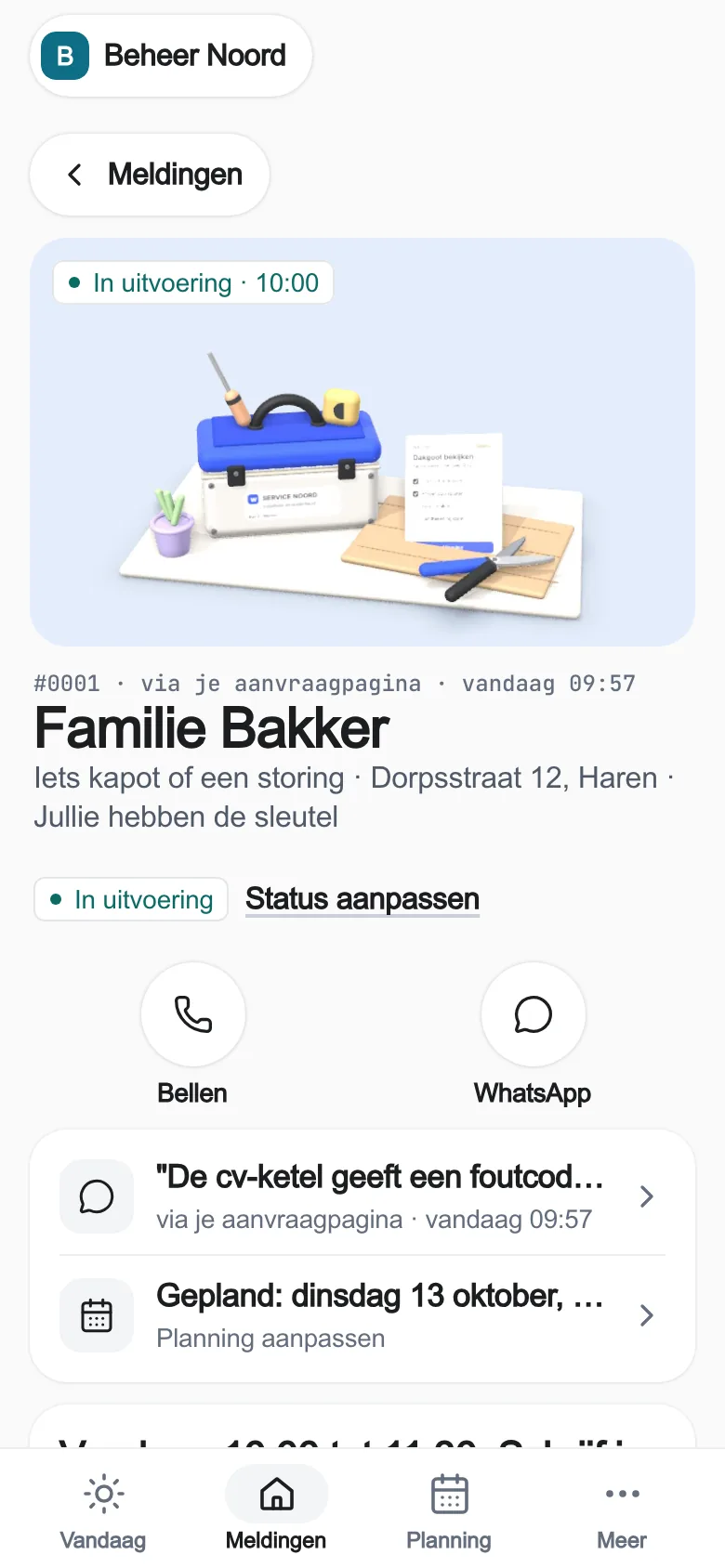
- It stays in the customer file
With Website, every request from your site lands in your app as a card. You add a phone call yourself. Already have a website and only need the app? That goes through your web builder.
What about the first visit?
During signup, enter your details, company and trade. With a confirmed email address, open your workspace and begin your first task. The steps depend on your package and the details already provided. Open extra settings when you need them.
Step 2 · + Business panel
More than requests? Add the Property panel.
- Buildings
- Tenants
- Reports
Your buildings and tenants in one place, and every report until it is fixed. €40 a month on top of Website, excl. VAT. Switch it on when you sign up or later in your app. See the panels
Your daily workflow with Property
From report to maintenance with approval.
Assess and record approval
A supplier starts while the owner has not yet approved the costs.
Link the report to the building, assess urgency and estimate and record the linked owner's approval with evidence.
A recorded budget on the report. Extra work needs the matching new approval.
Agree supplier and access
The tradesperson has been found, but the resident knows nothing about the visit.
Choose a supplier linked to the building. Plan the visit and a valid access arrangement.
Supplier overlap is checked. People involved and access belong to the record; do not keep door codes in free text.
Check work, costs and feedback
'Done' is in the chat, without proof of work or final costs.
Record the work, evidence reference and actual costs. Check the closing list and the customer update.
Costs stay within the recorded approval. The report has proof of work you can find again and a deliberate closing.
Pick your trade
Which panel fits you?
Tap your trade. You see straight away which screens you get.
Property
Your buildings and tenants in one place, and every report until it is fixed.
What is in it
- Buildings
- Tenants
- Reports
+€40 a month extra
First 30 days free.
Start with PropertyThe real app, with practice data. Only requests? Then Website is enough.
What it does for you.
Everyone their own role
Resident, owner and supplier are on the building with their own role.
Costs within the approval
You do not close a report above the amount the owner approved.
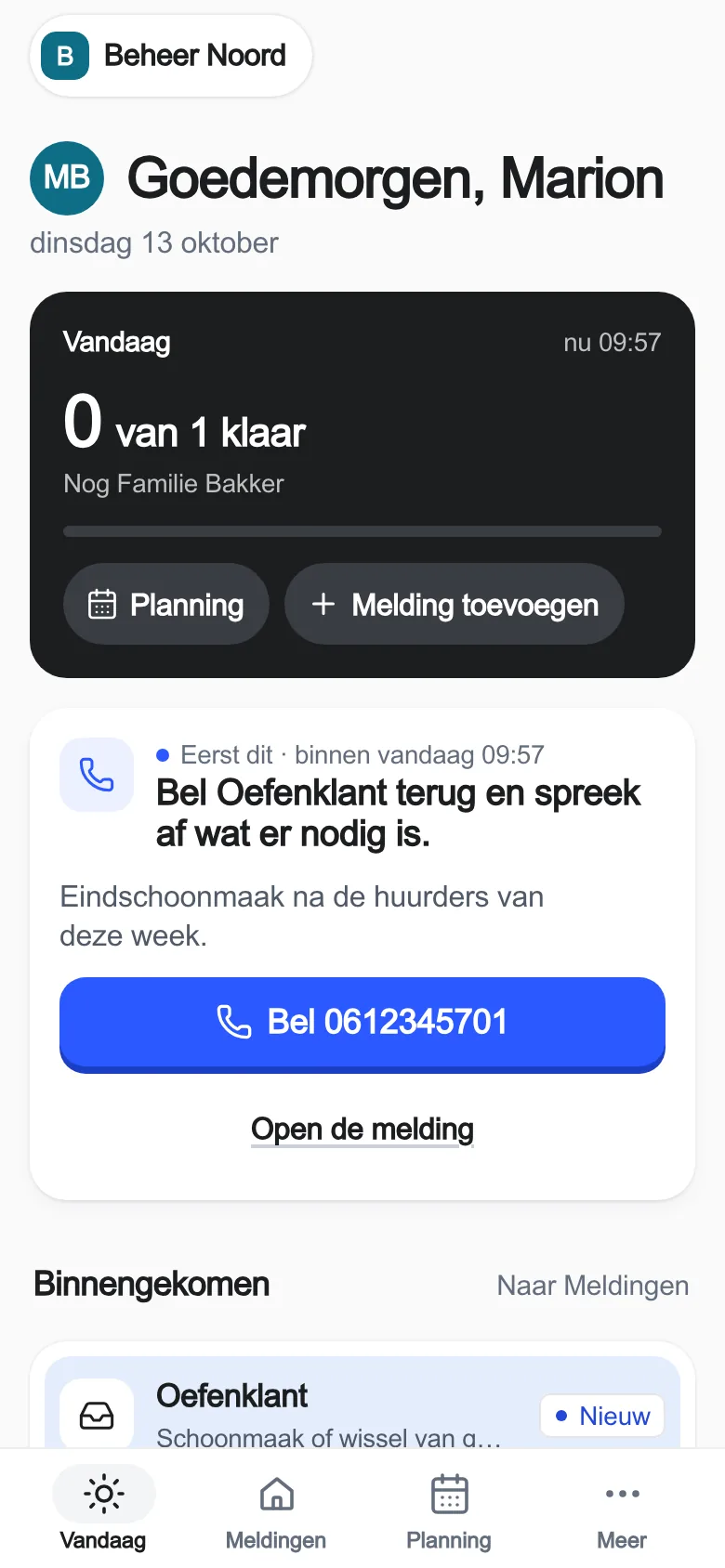
Today tells you what is waiting
You see what is waiting for an owner's approval and which work still needs closing.
Better for your customer too.
Resident, owner and supplier each have their own role in the record. The report gets an assessed urgency, approval and a concrete appointment. The feedback is ready as a draft you can check.
Your colleague can carry on.
Choose a supplier from the building's relations. Costs are checked against the approved amount. Today shows what is waiting for owner approval and which completed work still needs closing.
Open this workflow in your appWhat you need for your first setup
- Add owner, resident and supplier with suitable roles.
- Link one building to those relations.
- Assess a report, record approval and appointment and complete it.
You enter these details in your panel yourself. Choosing your sector does not switch on any external integrations.
Read the step-by-step guide (in Dutch)Website €49 + panel Property €40 · €89 a month together
Excl. VAT. The Property panel: buildings, tenants, reports. 30 days free, including your panel. Cancel monthly.
What the app does not do
No rent administration, owners' association accounting, owner login with digital signature or door control. An integration with your property software is a separate agreement.
Frequently asked. Answers in plain words.
Another question?
Your question goes to Laurens himself. On weekdays from 08:30 to 19:00.
 Ask Laurens
No. Only the owner or administrator of your business records the approval, linked to the right owner of the building.
Then you first record a new approval. You do not close costs above the approved amount.
A new appointment or a resolved report gives a message draft. You check who gets it and choose yourself whether it is sent.
Website €49 + panel Property €40 = €89 per month, excl. VAT. The Property panel: buildings, tenants, reports. You choose it when you sign up or later in your app. 30 days free with Website, including your panel. Cancel monthly. If you work differently, we discuss a custom panel.