Service & workshop · your business in your pocket
The job keeps moving. Even when you are on the road.
A customer calls, your colleague starts the repair and the office asks what was done. You open the right job, see the next step and keep the work with the same vehicle or building.
Already have a website? Start with Service and maintenance
Website €49 + panel Service and maintenance €40 = €89 per month, excl. VAT. 30 days free, including your panel.

How it works
Plan your jobs and make your work order with photos. All in one app.
Step 1 · Website
Your customer starts on your site. You continue in the app.
- Your customer sends a request
- You reply from the app
- It stays in the customer file
With Website, every request from your site lands in your app as a card. You add a phone call yourself. Already have a website and only need the app? That goes through your web builder.
What about the first visit?
During signup, enter your details, company and trade. With a confirmed email address, open your workspace and begin your first task. The steps depend on your package and the details already provided. Open extra settings when you need them.
Step 2 · + Business panel
More than requests? Add the Service and maintenance panel.
- Work orders
- Planning with colleagues
- Reports with photos
Plan your jobs and make your work order with photos. €40 a month on top of Website, excl. VAT. Switch it on when you sign up or later in your app. See the panels
Your daily workflow with Service and maintenance
From customer request to work report.
Receive and review
A phone call stays on a note, without a vehicle or a call-back arrangement.
Create a work order or receive the customer request through your website. Check the details and link the right object.
A recognisable work order with customer, request, history and the next step.
Plan with the context attached
An appointment is in the calendar, but the person doing the work has to ask for the story again.
Choose date, time slot and employee. Save the appointment; the work order is planned at the same time.
The job opens from Today. Overlap for the same employee is checked when you save.
Agree extra work clearly
An extra repair is discussed in a separate chat message. The person doing the work does not know which price and work were approved.
Save the proposal on the work order. Let your customer review that version and plan the approval in.
The extra task appears in the draft report. Open or unprocessed extra work blocks completion.
Carry out and complete
Nobody knows what was done or why an open work order is still on the list.
Describe the work, save materials and minutes and check the checklist. Complete the report and work order together.
A report you can find again and a next step to the customer overview. A message draft is not a sent email.
A day with Webstability
This is your day.
From the first request to the money in your account. In one app.
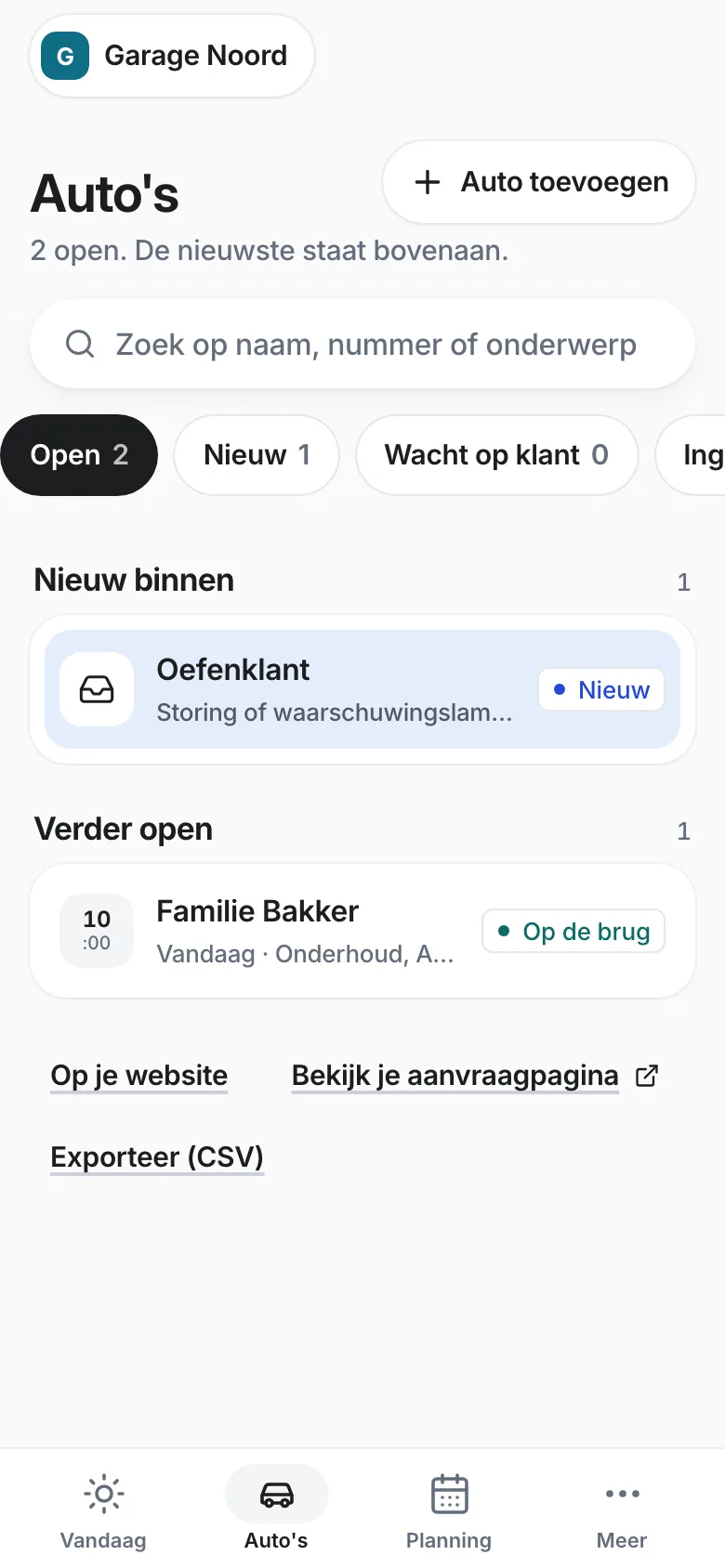
- Website
A request comes in.
Your customer filled in your form, with photos. It sits as a card in your app.
- Service panel
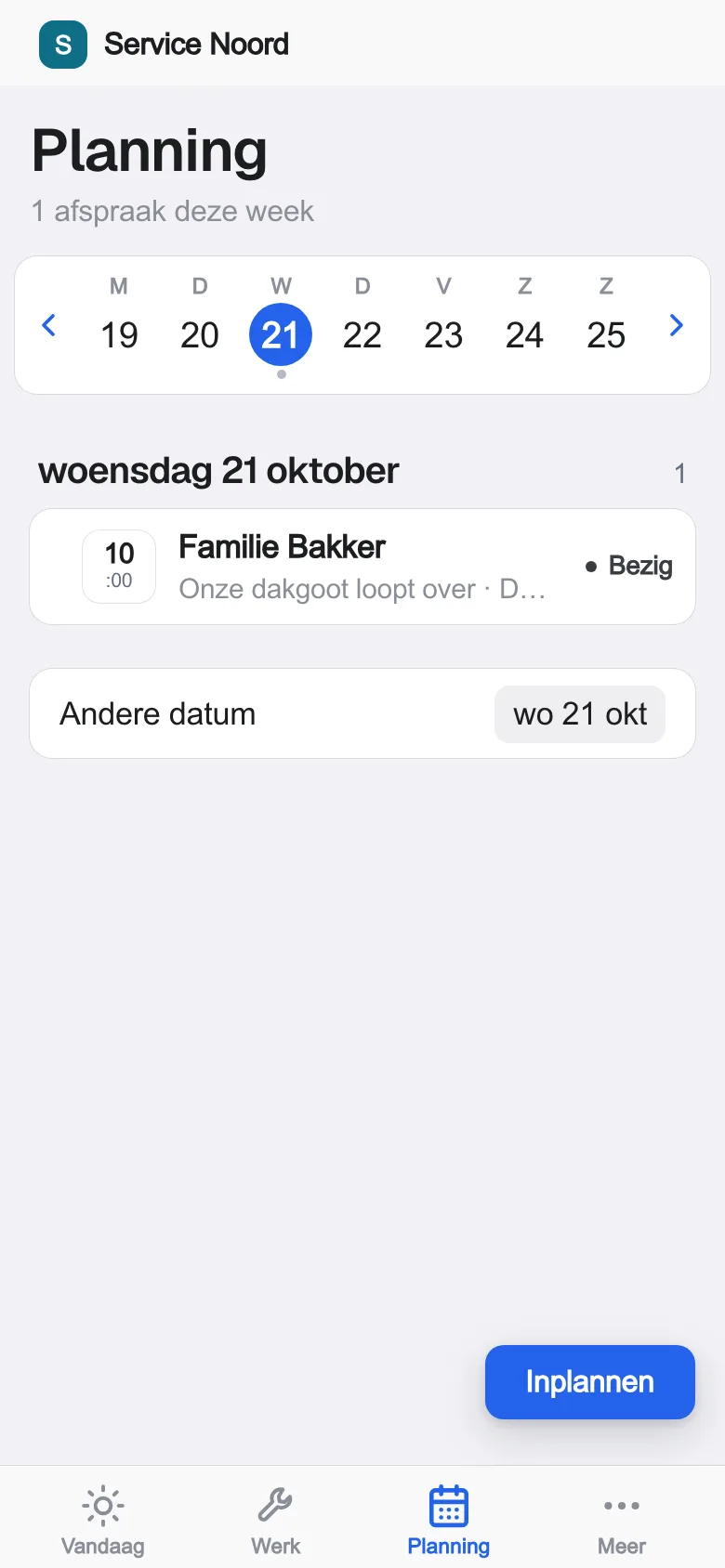
The job is scheduled.
Pick a colleague, a day and a time slot. Everyone sees it.
- Service panel
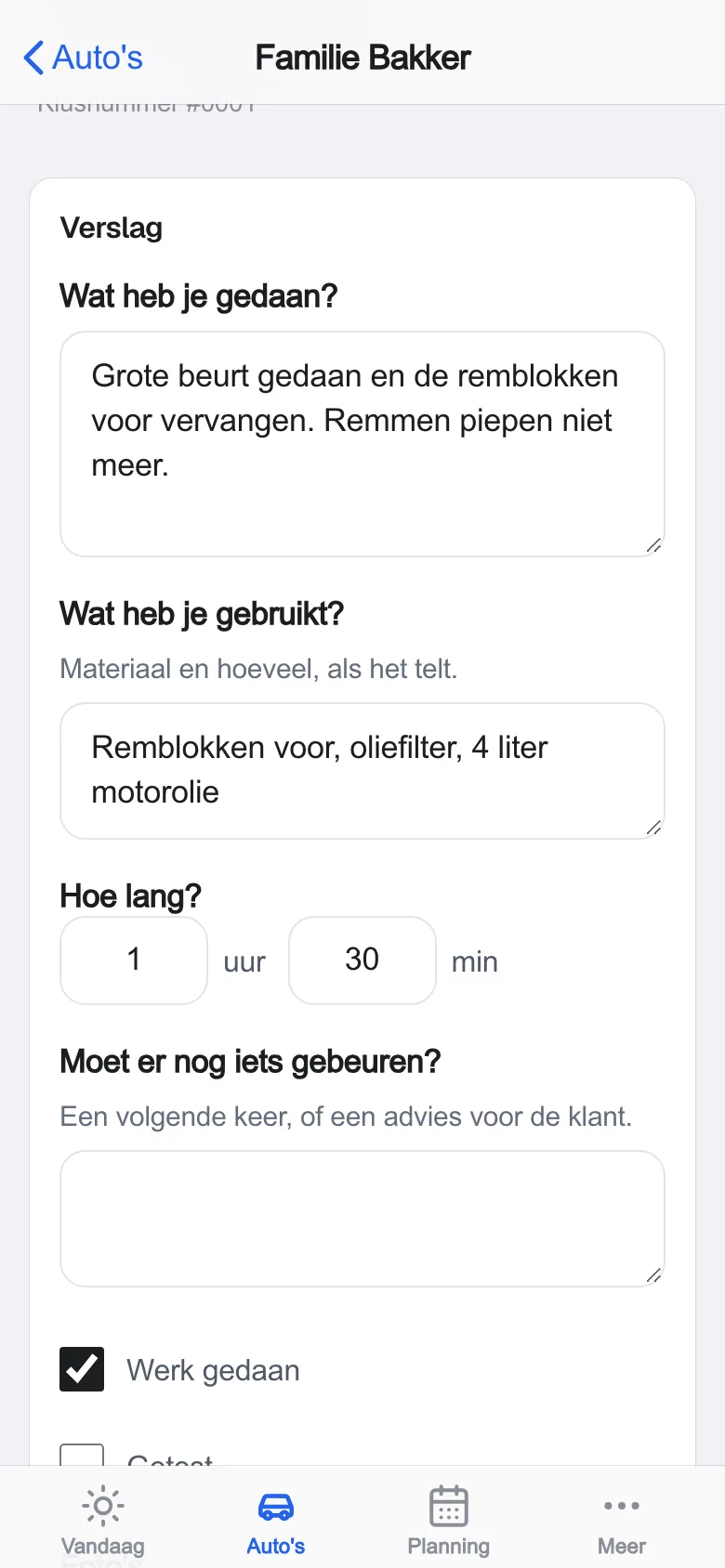
A report with photos, on site.
Record work, materials and time while you are still with the customer.
- Website
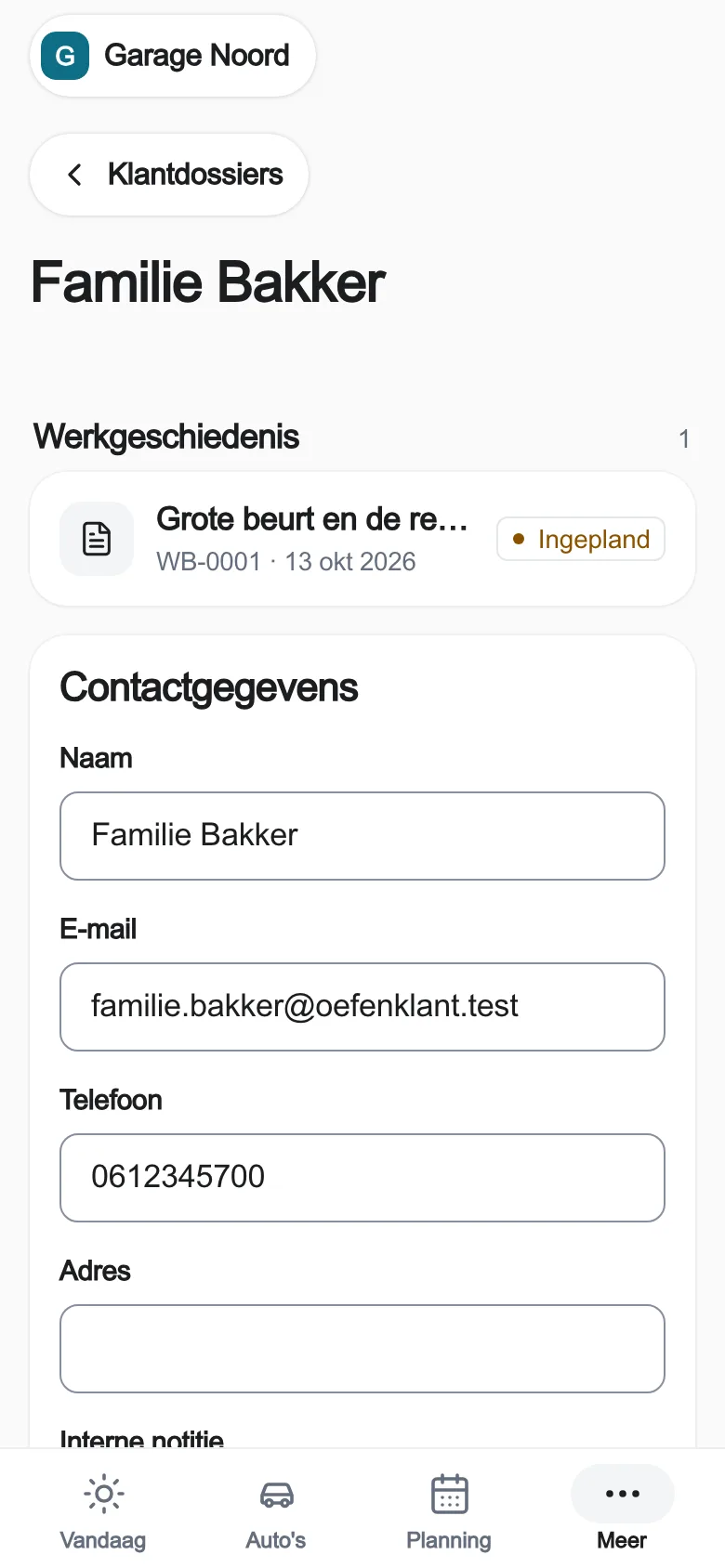
Done. And paid.
Everything is in the customer file. Send a payment link: your customer pays through your own Stripe.
The real app, with practice data.
What it does for you.
One work order per job
Request, appointment, colleague and report in one place. Nobody has to ask for the story again.
Today tells you what to do now
The day's appointments, what still needs planning and which report is still open.
The customer record remembers
Every completed job is in the customer's record. So you see what happened last time.
Better for your customer too.
Your customer passes on the request and details once. He reviews extra work and its price through a personal approval link, in your branding. The decision stays with the job. You then confirm the actual appointment and choose which customer updates your business may send.
Your colleague can carry on.
Request, date, colleague and report sit on the same work order. Today shows what is needed now, what is planned and which report still has to be completed. Try it yourself with a labelled practice work order.
Open this workflow in your appWhat you need for your first setup
- Choose your business name, logo and your own questions.
- Add one colleague and one vehicle, installation or building.
- Receive, plan and complete a practice work order without a customer email.
Start with your first work order. You can connect the website afterwards.
Read the step-by-step guide (in Dutch)Website €49 + panel Service and maintenance €40 · €89 a month together
Excl. VAT. The Service and maintenance panel: work orders, planning with colleagues, reports with photos. 30 days free, including your panel. Cancel monthly.
What the app does not do
Materials on the report are not yet deducted from your stock. No MOT register, garage accounting or payroll. We only agree an integration with other software once it has been tested.
Frequently asked. Answers in plain words.
Another question?
Your question goes to Laurens himself. On weekdays from 08:30 to 19:00.
 Ask Laurens
Yes, through your web builder you can link just the app to your existing website. Start with your business details and one practice work order; then you add the request route. The Website package from Webstability combines a website and the app.
Yes. You give colleagues suitable rights. Only those allowed to edit can change appointments and reports.
No. Practice work orders send no email. For real work, updates are a draft first; you choose which messages your business may send.
Yes. You create a proposal with work and price on the open work order. The customer reviews it through a personal link. Then you plan it in.
Website €49 + panel Service and maintenance €40 = €89 per month, excl. VAT. The Service and maintenance panel: work orders, planning with colleagues, reports with photos. You choose it when you sign up or later in your app. 30 days free with Website, including your panel. Cancel monthly. If you work differently, we discuss a custom panel.