Hotels
Use QR codes in rooms, reception, bar and breakfast areas.
QR menu Malaga
For hospitality in Málaga: upload your current menu, review dishes and guest languages, then publish a QR menu your team can keep updating itself.
For the working day
With international guests and seasonal menus, a professional QR menu helps venues explain food, drinks, allergens and service options without reprinting everything.
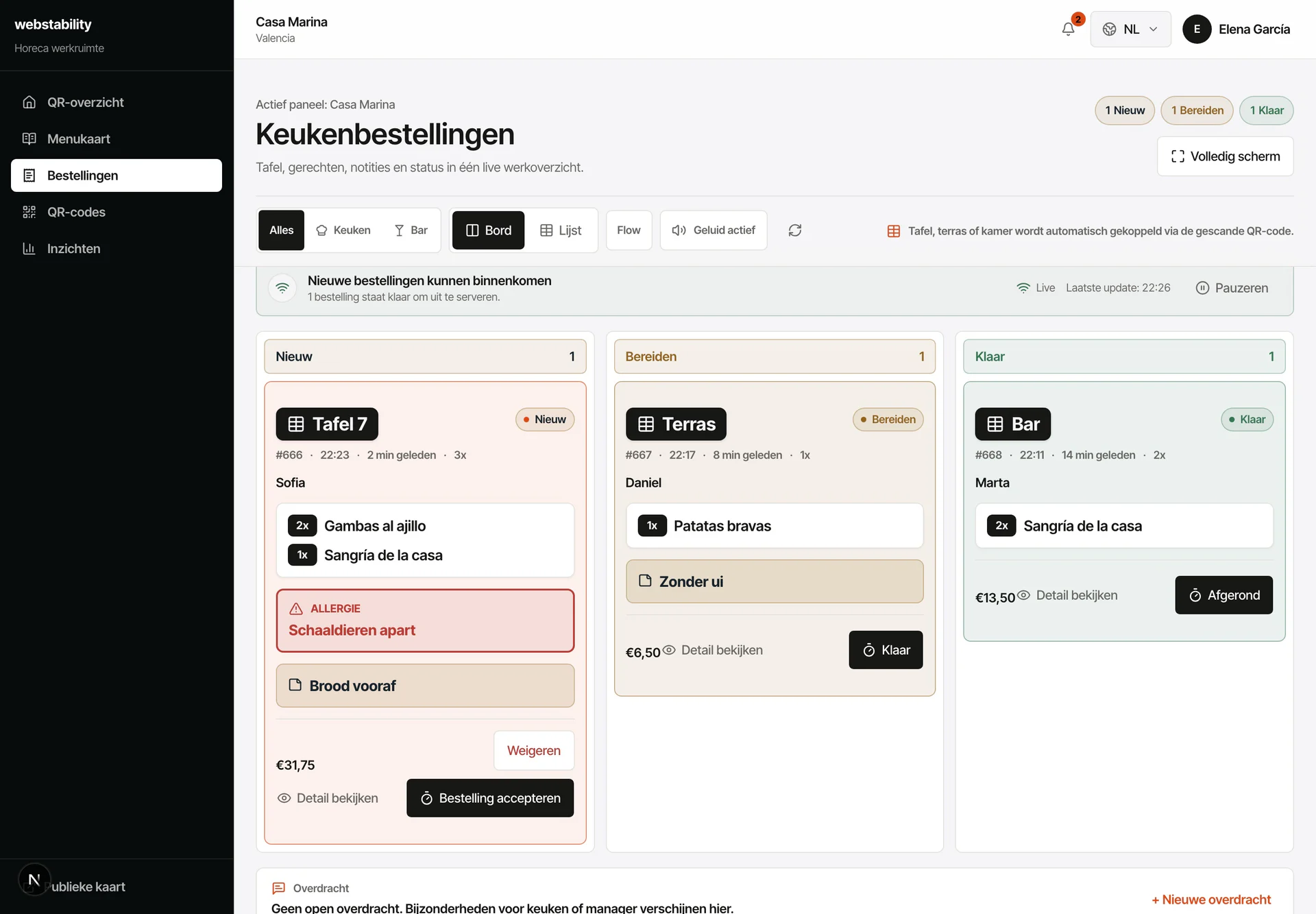 A practical service for Malaga
From menu to live
Upload the existing restaurant, hotel, café or beach menu.
Review categories, prices, allergens and ES/CA/NL/EN/DE/FR translations.
Create QR zones for tables, rooms, terrace, reception or bar.
Publish and adjust seasonal menus, room-service items or terrace specials.
What your team controls
The first version can be prepared from your current menu, so your team does not need to learn software before the QR menu is live.
Use QR codes in rooms, reception, bar and breakfast areas.
Keep tourist languages and allergens easy to find.
Update breakfast, drinks and specials quickly.
FAQ
Yes. Each room or hotel area gets its own QR context. Guests see the right menu and orders arrive with the room or zone.
Yes. Rooms, bar, reception and breakfast can each have a QR context for guest clarity and kitchen routing.
No. Use QR next to paper: paper stays in the venue while the QR layer keeps languages, prices, stock and ordering current.
Create an account, upload PDF, photo or link, then review the prepared categories, dishes, prices and translations before publishing.
Webstability
Upload, review and publish it yourself. Your team then keeps dishes, languages and availability current.
Try 30 days free