Tourist-friendly menu
Guests can switch language without asking staff to translate the full menu.
Restaurants in Spain
Create a Webstability account, upload your existing restaurant menu as PDF, photo or link, and turn it into a premium multilingual QR menu with a permanent QR code, optional ordering and print-ready table materials.
For the working day
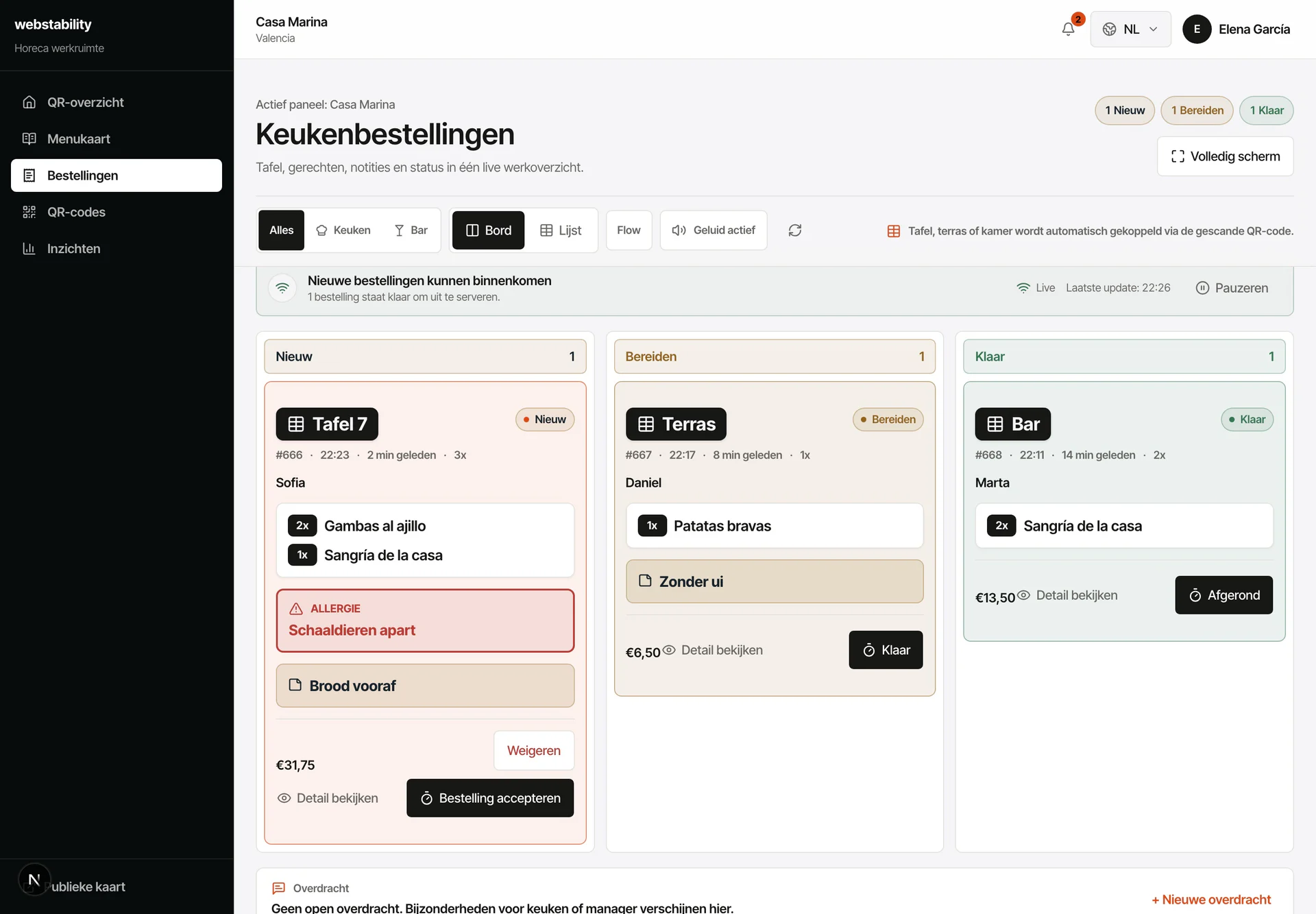
Fewer trips across the floor: guests read the menu in their language and order from the table. The kitchen receives the order with the right table attached, no handwritten tickets or wrong dishes. Change a price or mark a sell-out once and it reaches every table in 240 ms.
 A local service for Spanish hospitality
From menu to live
Create an account and upload the current dinner or tapas menu.
Review dishes, prices, allergens and ES/CA/NL/EN/DE/FR translations.
Create QR locations for tables, terrace and bar before printing.
Publish the menu and update specials or sold-out dishes during service.
What your team controls
The offer is designed for restaurants across Spain that want a professional QR menu they can upload, review and publish without a complex software rollout.
Guests can switch language without asking staff to translate the full menu.
Keep your paper menu and add QR for changes, languages, photos and ordering.
Update dishes, prices, visibility and stock whenever the menu changes.
FAQ
Yes. Set up tables and zones first. An order from that QR reaches the kitchen with the correct table attached.
Yes. Ordering can be enabled when your restaurant is ready, with table or zone location attached automatically.
No. Use QR next to paper: paper stays in the venue while the QR layer keeps languages, prices, stock and ordering current.
Create an account, upload PDF, photo or link, then review the prepared categories, dishes, prices and translations before publishing.
Webstability
Upload, review and publish it yourself. Your team then keeps dishes, languages and availability current.
Try 30 days free